Written by MEKALEO 20+, an outdoor lighting manufacturer with more than 20 years of industry experience
MEKALEO20+ specializes in outdoor lighting manufacturing, LED pixel light solutions, decorative holiday lighting, and custom lighting products for residential, commercial, and large-scale display projects. Based on more than 20 years of manufacturing and project experience, this guide explains how to plan, select, install, and operate a synchronized Christmas light show.
Whether you are building your first home light show or expanding an existing outdoor display, the right combination of pixel lights, controllers, wiring, software, and installation planning can help you create a reliable and impressive result.
Note: Product specifications, electrical requirements, controller compatibility, and local installation regulations may vary. Always follow the manufacturer’s instructions and consult a qualified electrician when necessary.
Quick Summary and Key Takeaways
- The core concept: Synchronized Christmas light shows use individually controllable RGB pixels, controllers, and sequencing software such as xLights to coordinate lights with music.
- Time and budget: A basic starter display may cost approximately $300–$800, depending on the size, controller, props, power system, and accessories. Installation may take 20–40 hours for a first-time project.
- Two ways to begin: You can build a fully custom system with separate components or choose a plug and play Christmas light show kit for faster installation.
- Important planning points: Calculate power requirements early, plan power injection for longer pixel runs, use suitable outdoor connectors, and test every section before installation.
- Standalone operation: Falcon Player, commonly called FPP, can run scheduled shows without requiring a laptop to remain connected throughout the night.
Quick Start: Is a Home Light Show Right for You?
A synchronized home light show can be highly rewarding, but it requires more planning than installing static Christmas lights. Before purchasing equipment, consider your available time, budget, installation space, and comfort with basic electrical and computer-based setup.
Traditional Lights vs. Christmas Pixel Lights: WS2811 12V vs. 5V Explained
Traditional LED string lights are suitable for static decoration, simple flashing effects, and basic roofline outlines. They are easy to install and often require less configuration.
Christmas pixel lights are more advanced. Each pixel, or group of pixels depending on the product design, can be controlled to display different colors and animations. This allows you to create chasing effects, waves, falling snow, color fades, and music-synchronized sequences.
WS2811 is a commonly used pixel-control protocol. Pixel products may be available in different voltage versions, including 5V, 12V, and other configurations. The voltage does not automatically determine the quality of the pixel. It affects the wiring design, power distribution, voltage drop, and power injection requirements.
5V pixel lights:
- May offer efficient power use at the individual pixel level
- Usually require more careful power planning
- Can be more sensitive to voltage drop over longer cable runs
- Require a compatible 5V power supply
12V pixel lights:
- Are commonly used in outdoor holiday displays
- May be more convenient for longer runs
- Still require correct power calculations and injection planning
- Must be connected to a compatible 12V power supply
Never connect 5V pixels to a 12V power supply or 12V pixels to a 5V supply. Always confirm the rated voltage, current, wiring polarity, and controller compatibility before powering a display.
Realistic Expectations: Budget, Setup Time, and Technical Learning Curve
A small Christmas light show kit for a house may be relatively simple to install, while a fully synchronized pixel display requires additional planning.
Your total investment may include:
- Pixel lights or LED light strings
- Controllers
- Power supplies
- Waterproof connectors
- Extension cables
- Mounting clips or strips
- Coroplast props
- Sequencing software
- Audio equipment
- Protective enclosures
- Replacement parts
A basic starter setup may cost around $300–$800, although the actual amount depends on the display size and equipment selected. Larger displays can cost several thousand dollars and are often built over multiple seasons.
First-time installation may take 20–40 hours when measuring, mounting, wiring, testing, and troubleshooting are included. The learning curve is usually manageable if you begin with one or two display areas instead of attempting to decorate the entire property at once.
Pure DIY vs. Plug and Play Christmas Light Show: Choosing Your Path
A fully custom DIY system gives you greater control over the lights, layout, animations, and future expansion. However, you will need to select compatible components and configure the system yourself.
A plug and play Christmas light show kit is designed to reduce setup time. It may include preconfigured lights, a controller, power accessories, and preset effects.
Choose a DIY system if you want to:
- Create custom pixel sequences
- Expand the display each year
- Control individual pixels
- Build unique props and effects
- Learn advanced show design
Choose a plug-and-play kit if you want to:
- Install the display more quickly
- Use preset animations
- Avoid complex programming
- Create a small or medium home light show
- Begin with less technical preparation
Anatomy of a Show: Choosing the Best Christmas Light Show Kit
A complete Christmas light show kit should match your display size, power requirements, control method, and installation environment.
What’s Included in Complete Xmas Light Show Kits?
A complete kit may contain some or all of the following:
- RGB or RGBW LED pixel lights
- A pixel controller
- Power supplies
- Waterproof pigtail connectors
- Extension cables
- Mounting hardware
- A remote control or app
- Preset effects
- A protective controller enclosure
- Instructions or setup documentation
Not every kit includes the same components. Before purchasing, check whether the lights, controller, and power supply are designed to work together.
You should also confirm:
- Pixel voltage
- Pixel spacing
- Total pixel count
- Maximum output channels
- Connector type
- Weather-resistance specifications
- Maximum recommended cable length
- Expansion capability
DIY Bundles vs. Commercial Christmas Light Display Kits
DIY bundles provide flexibility because you can choose each component according to your requirements. They are useful for experienced installers or users who want to build a custom system.
Commercial Christmas light display kits usually focus on convenience. They may include a fixed number of lights, preset sequences, and simplified installation accessories.
A DIY bundle may be better for a growing display, while a commercial kit may be more suitable for a homeowner who wants a predictable installation process.
Recommended Outdoor Christmas Light Show Kit Setup for Beginners
A practical beginner setup may include:
- One outdoor-rated pixel light set
- A compatible controller
- A correctly rated power supply
- Waterproof connectors
- Mounting clips or pixel mounting strips
- A timer or show player
- One or two short lighting sequences
Start with a roofline, front window, porch, or tree. Once the system is tested, you can add additional sections without redesigning the entire display.
Essential Hardware: Choosing Your Christmas Light Show Lights
The hardware determines the brightness, reliability, appearance, and expandability of your display.
1. Pixel Lights Christmas Selection: Bullet Nodes vs. Flat Seed Lights
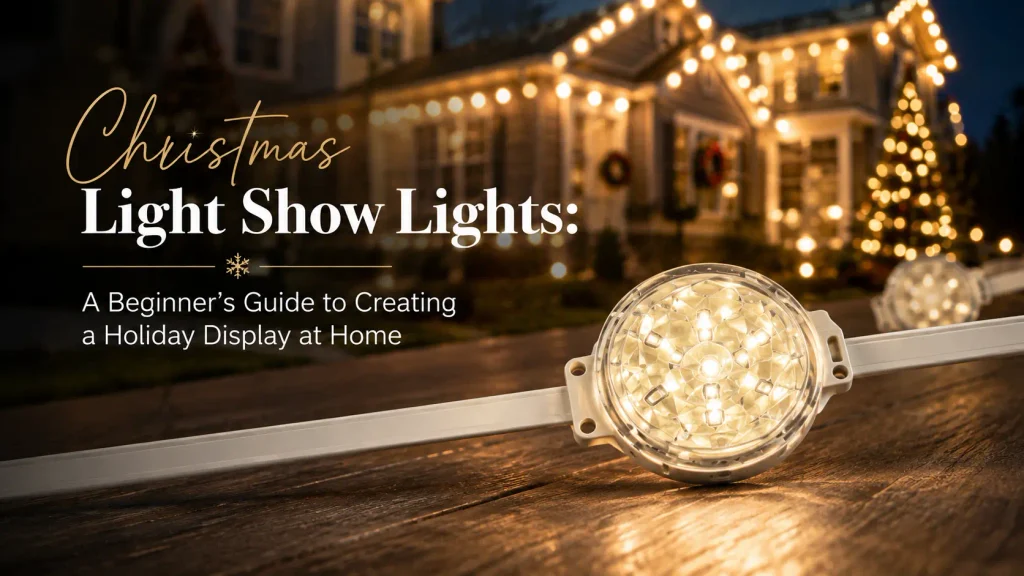
Bullet-style pixel nodes are popular for rooflines, arches, props, and outlines. Their shape makes them easy to mount in holes or strips, and they are visible from a distance.
Flat seed lights are smaller and more subtle. They can work well for:
- Trees and branches
- Garlands
- Bushes
- Decorative ornaments
- Areas where a low-profile appearance is preferred
When choosing Christmas light show lights, compare brightness, pixel spacing, waterproof construction, cable quality, connector type, and compatibility with your controller.
The best pixel type depends on the viewing distance and design. Large outdoor props may benefit from brighter, clearly spaced bullet pixels, while trees and decorative elements may look better with smaller, less visible light sources.
2. Coro Props and Mounting
Coroplast, often called coro, is a lightweight corrugated plastic material commonly used to create holiday props such as:
- Snowflakes
- Trees
- Reindeer
- Candy canes
- Stars
- Christmas characters
- Custom logos and signs
Pixel mounting strips or pre-drilled coro props help keep the lights evenly spaced. Consistent spacing improves the appearance of animations and makes pixel mapping easier in sequencing software.
When installing props outdoors, consider wind exposure, drainage, mounting strength, and storage after the holiday season.
3. Show Controllers and Players
The controller receives commands from your show software or player and sends data to the pixels.
Common controller functions include:
- Managing multiple output channels
- Controlling different pixel groups
- Supporting specific pixel protocols
- Handling data distance and signal transmission
- Allowing future expansion
Falcon and Kulp are examples of controller platforms used in custom holiday lighting projects. Falcon Player, or FPP, is a show-player solution that can run scheduled sequences on compatible hardware.
A controller is not automatically compatible with every pixel product. Check the supported protocols, voltage requirements, output capacity, connector wiring, and software compatibility before purchasing.
4. Power Injection, Waterproof Enclosures, and Electrical Safety
Power injection supplies additional power to a pixel run so that the lights maintain consistent brightness and color along the full length.
Without sufficient power distribution, the end of a long run may appear dimmer or may shift toward a warmer or yellow color. The exact injection distance depends on the pixel type, voltage, pixel count, brightness setting, cable length, and manufacturer specifications.
A safe power plan should include:
- The rated voltage of the pixels
- Current consumption per pixel or section
- Total pixel count
- Power supply capacity
- Cable length and wire size
- Injection points
- Fuse protection where appropriate
- Weather-resistant enclosures
- Outdoor-rated connectors
Keep power supplies and controllers inside suitable protective enclosures. Make sure heat can dissipate and that the enclosure is appropriate for the installation environment.
5. Audio Setup for Show Lights Christmas
A music-synchronized LED Christmas light show can use:
- An outdoor speaker
- A low-power FM transmitter
- A “Tune In” sign
- A QR code linking to the music or show information
FM transmission may be useful when visitors watch from their vehicles. However, local regulations may apply to FM transmission, sound levels, and operating hours.
Always use music lawfully and consider your neighbors when setting volume and schedules.
Building a Christmas Light Show Kit for House and Roofline
A house roofline is one of the most visible areas for a Christmas light display. It can also be one of the easiest places to achieve a clean, professional appearance.
Designing a Custom Christmas Light Show for House Exteriors
Begin by identifying the main viewing angle. Draw a simple layout of:
- Rooflines
- Windows
- Doors
- Garage edges
- Columns
- Trees
- Walkways
- Driveways
- Yard props
Then decide which elements will be animated and which will remain static. Using movement everywhere can make the display visually confusing. A better approach is to create a focal point and use supporting lights around it.
For example:
- Animated pixels on the roofline
- Warm white lights around windows
- A color-changing tree near the entrance
- Static pathway lights along the driveway
This creates contrast, depth, and a clear visual structure.
Mounting Christmas Pixel Lights with J-Channel
J-channel or similar mounting channels can help create straight roofline installations. Depending on the product and building surface, mounting channels may reduce visible cable sag and keep pixel spacing consistent.
Before using J-channel or another mounting method:
- Confirm that the channel is suitable for the surface
- Avoid damaging roofing materials
- Keep drainage paths clear
- Use removable mounting methods when possible
- Check the installation from the street
- Secure the system against wind and weather
Do not drill into roofing materials or alter the structure unless the installation method is appropriate and approved for the building.
Power Injection and Wiring Rules
Power injection should be planned before the lights are mounted. Do not wait until the display is installed to discover that the final pixels are dim or discolored.
The basic process is:
- Confirm the pixel voltage.
- Determine the current draw.
- Calculate the total load.
- Select a suitable power supply.
- Divide long runs into manageable sections.
- Add injection points according to the product specifications.
- Protect each connection from moisture.
- Test brightness and color at the beginning and end of each run.
Connector systems such as xConnect are commonly used in outdoor pixel displays, but connector types are not universally interchangeable. Confirm polarity, pin arrangement, wire order, voltage, and compatibility before connecting products from different suppliers.
Software and Sequencing: Bringing Your Show Lights Christmas to Life
Hardware creates the light output, but sequencing software determines what the audience sees.
Step-by-Step xLights Beginner’s Guide
xLights is widely used to design and sequence Christmas light shows.
A basic workflow includes:
- Install xLights on a compatible computer.
- Create a model of your house or display area.
- Add rooflines, windows, trees, props, and pixel elements.
- Configure the pixel counts and controller outputs.
- Import a music track.
- Add effects such as fades, chases, color changes, and movement.
- Preview the sequence.
- Test the sequence on the actual lights.
- Export or transfer the show to your show player.
Accurate modeling is important. If your virtual layout does not match the physical installation, effects may appear in the wrong location.
DIY Sequencing vs. Buying Sequences
Creating a sequence from the beginning gives you complete creative control, but it can take significant time. You need to understand timing, effects, models, transitions, and controller configuration.
Purchased sequences can reduce preparation time and provide professionally designed animations. Before purchasing, check:
- Supported song version
- Audio licensing requirements
- Compatibility with your layout
- Supported models
- Required pixel count
- File format
- Controller configuration
Purchased sequences may still require adjustments because every home display has a different layout.
Synchronizing Pixels to Music
A music-synchronized LED Christmas light show works by matching lighting effects to specific moments in an audio track.
Effective sequences often use:
- Fast effects during strong musical beats
- Slow fades during quiet sections
- Color changes between song parts
- Repeated patterns for choruses
- Special effects for musical transitions
Do not use maximum brightness and rapid movement for the entire song. Contrast between calm and energetic sections usually creates a more engaging experience.
Step-by-Step Blueprint: Your 90-Day Setup Timeline
A seasonal timeline helps prevent last-minute installation problems.
Phase 1: Summer — Plan Your Home Light Show
During summer, decide:
- Which areas you want to decorate
- Whether you want LED lights or pixel lights
- The required pixel count
- Your preferred controller
- Power supply requirements
- Mounting methods
- Music and sequencing needs
- Your target budget
Ordering early can also help avoid seasonal stock shortages.
Phase 2: Fall — Test the Christmas Show Light Kit
Before mounting anything outdoors:
- Inspect every light string
- Test the controller
- Confirm connector polarity
- Test the power supply
- Assemble coro props
- Label cables and outputs
- Create a basic xLights layout
- Test sequences on a small section
Bench testing can identify compatibility problems before installation becomes difficult.
Phase 3: November — Install the Outdoor Christmas Light Show Kit
Install the main lights and props during suitable weather conditions.
Work section by section:
- Mount the lights.
- Route and label the cables.
- Connect power and data lines.
- Add power injection where needed.
- Protect outdoor connections.
- Test every section.
- Run a complete show test at night.
Photographing or labeling the wiring can make future maintenance much easier.
Phase 4: December — Launch and Schedule the Show
Before launching your display, check:
- Brightness consistency
- Color accuracy
- Timing with music
- Timer settings
- Audio volume
- Cable safety
- Weather protection
- Visibility from the street
Schedule the display for reasonable hours. If visitors stop to watch, consider traffic flow, parking, noise, and neighborhood access.
Frequently Asked Questions
How Much Does a Complete Christmas Light Show Kit for a House Cost?
A small plug-and-play Christmas light show kit may cost a few hundred dollars. A larger programmable pixel display may cost several thousand dollars after including lights, controllers, power supplies, props, mounting hardware, and audio equipment.
The final cost depends on the size of the house, pixel density, controller capacity, level of animation, and whether the system is built all at once or expanded over several years.
Can I Run an LED Christmas Light Show With a Plug-and-Play Controller?
Yes. Many plug-and-play controllers support preset color changes, flashing effects, timers, and basic animations.
However, not every plug-and-play controller supports individually controlled pixels or advanced music synchronization. Confirm the controller’s specifications before purchasing.
Do I Need a Dedicated Computer to Run xLights All Night?
No. xLights is generally used to design and sequence the show. A separate show player, such as Falcon Player, can be used to run scheduled sequences without leaving a laptop connected outdoors.
The exact setup depends on the controller, show player, network configuration, and file format. Test the complete system before the public launch.
Do Christmas Pixel Lights Need Power Injection?
Longer pixel runs may need power injection to maintain brightness and consistent color. The requirement depends on the pixel voltage, pixel count, brightness, cable length, and product specifications.
Always calculate power requirements before installation and follow the manufacturer’s recommendations.
Can I Mix Different Pixel Light Brands?
Sometimes, but compatibility should never be assumed. Different products may use different voltages, connectors, wire orders, pixel protocols, or waterproofing standards.
Before mixing products, verify the electrical specifications, connector configuration, controller compatibility, and data direction.
What Is the Best Christmas Light Show Kit for Beginners?
For most beginners, an outdoor-rated plug-and-play kit with preset effects is the easiest starting point. If you want to expand the display, use custom animations, or synchronize multiple elements with music, a modular pixel light system may be a better long-term choice.
Authoritative Resources, Software, and Community Links
The following resources can help with software configuration, show sequencing, hardware selection, and troubleshooting:
Official Software and Documentation
xLights Official Site and Manual: xlights.org
Official information, downloads, documentation, layout tools, and tutorials for xLights sequencing software.Falcon Player and Falcon Christmas Resources: falconchristmas.com
Information and community resources related to show players, controllers, and synchronized Christmas displays.
Hardware and Prop Vendor References
Boscoyo Studio: boscoyostudio.com
Coroplast props, pixel mounting strips, and hardware for holiday light displays.HolidayCoro: holidaycoro.com
RGB controllers, pixel lights, mounting products, and Christmas light display kits.
Community Forums and Learning Hubs
AusChristmasLighting Wiki: auschristmaslighting.com/wiki
Community guides covering power injection, wiring, controllers, pixels, and display planning.Do It Yourself Christmas Forum: doityourselfchristmas.com
A long-running community for troubleshooting, sequencing, hardware projects, and holiday display ideas.
About MEKALEO 20+
MEKALEO20+ is an outdoor lighting manufacturer with more than 20 years of experience in LED lighting production, pixel light development, custom outdoor lighting solutions, and holiday display projects.
We support residential, commercial, landscaping, architectural, and custom Christmas light applications with outdoor lighting products designed for reliable installation and seasonal use.